
Create Concept Object#
Problem#
You want to create a Concept object and add it to the
entanglement graph.
Solution#
A Concept object can be thought of as an abstract idea,
not a physical entity. In this example, we are going to create a ‘wildfire’ concept object and add
it to the entanglement graph in a personal project.
All Object can have additional qualifiers; however, only
name is required. In this example we will also be adding the domain, category, and type
qualifiers and the description attribute.
Setup#
Start by setting up the basic geodesic workflow in python.
import geodesic
geodesic.set_active_project('cookbook-examples')
Creating The Object#
concept_object = geodesic.entanglement.Object(
    object_class='concept',
    domain = 'combustion-process',
    category = 'fire',
    name='wildfire',
    type='land-fire',
    description='A wildfire is an unplanned, unwanted fire burning in a natural area.'
)
geodesic.entanglement.add_objects([concept_object], project='cookbook-examples', overwrite=True)
concept_object.save()
The domain, category, and type qualifiers are used to help organize and classify the
object. The description attribute is optional and can be used to store additional information
about the object.
Accessing the Object#
To check that your object has been created and added to the entanglement graph, you can use the
get_objects() method to search either by object type or
by name.
geodesic.get_objects(object_class='concept')
[concept:combustion-process:fire:land-fire:wildfire]
geodesic.get_objects(search='wildfire')
[concept:combustion-process:fire:land-fire:wildfire]
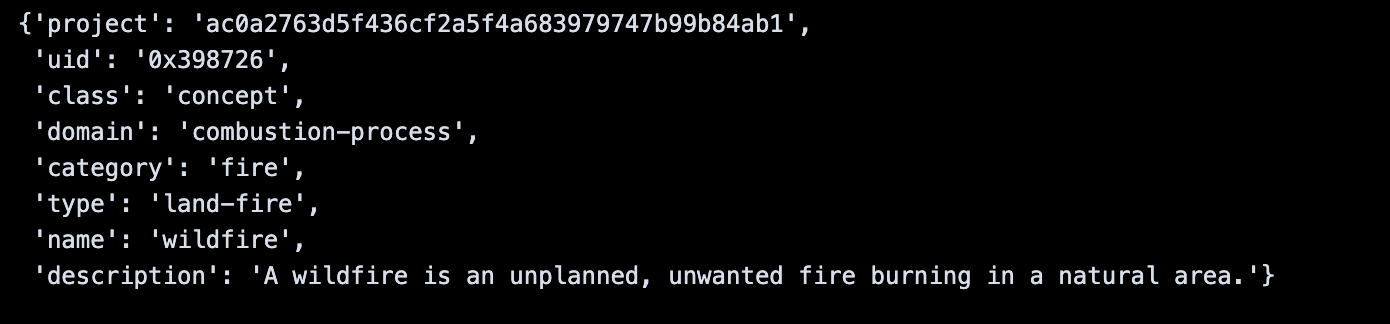
We can save the search results as a list of Objects and then
access the object by index which will allow us to access the object’s attributes.
obj_lst = geodesic.get_objects(search='wildfire')
wildfire_obj = obj_lst[0]
dict(wildfire_obj)